Dash
Write clean code, synthesize native executables.
Programming the Amiga in C has its charm… until you've spent half an hour wrestling with pointers, Intuition structures and casts. Dash is the other way: a language that reads like Ruby or Python and turns into a real 68k executable. No interpreter, no virtual machine: native code, the way it should be.
From your lines to a 68k executable
Three real programs, step by step: first what you write, then an excerpt of the C that Dash writes for you and, finally, what shows up on the Amiga. And look how little they take.
- Dash
- C
- m68k-amigaos-gcc
- Amiga
Window MiVentana
  title "Hola Dash"
  width 400
  height 150
end

Main
  MiVentana.open
  EventLoop
    On Close
      Print "Adiós!"
      Stop
    end
  end
end// User Code
win_MiVentana = OpenWindowTags(NULL,
WA_Left, 50, WA_Top, 50,
WA_Width, 400, WA_Height, 150,
WA_Title, (ULONG)"Hola Dash",
WA_CloseGadget, TRUE,
WA_DragBar, TRUE,
WA_DepthGadget, TRUE,
WA_SizeGadget, FALSE,
WA_Borderless, FALSE,
WA_Activate, TRUE,
WA_MinWidth, 40, WA_MinHeight, 20,
WA_MaxWidth, (ULONG)~0, WA_MaxHeight, (ULONG)~0,
WA_GimmeZeroZero, TRUE,
WA_IDCMP, IDCMP_CLOSEWINDOW,
_dash_screen ? WA_CustomScreen : TAG_IGNORE, (ULONG)_dash_screen,
TAG_DONE);
if (!win_MiVentana) _dash_exit(20);
_dash_win = win_MiVentana;
_dash_rp = win_MiVentana->RPort;
{
BOOL running = TRUE;
struct IntuiMessage *msg;
ULONG msg_class;
UWORD msg_code;
ULONG _dash_tmev = _dash_tmp_mark();
while (running) {
_dash_tmp_release(_dash_tmev); /* temporaries of the previous messages */
WaitPort(win_MiVentana->UserPort);
while (win_MiVentana && (msg = (struct IntuiMessage *)GetMsg(win_MiVentana->UserPort))) {
msg_class = msg->Class;
msg_code = msg->Code;
(void)msg_code;
ReplyMsg((struct Message *)msg);
switch (msg_class) {
case IDCMP_CLOSEWINDOW: {
Printf("Adi\363s!\n");
running = FALSE;
}
break;
}
}
}
if (win_MiVentana) {
if (_dash_win == win_MiVentana) _dash_win = NULL;
_dash_before_close(win_MiVentana);
CloseWindow(win_MiVentana);
win_MiVentana = NULL;
}
_dash_tmp_release(_dash_tmev);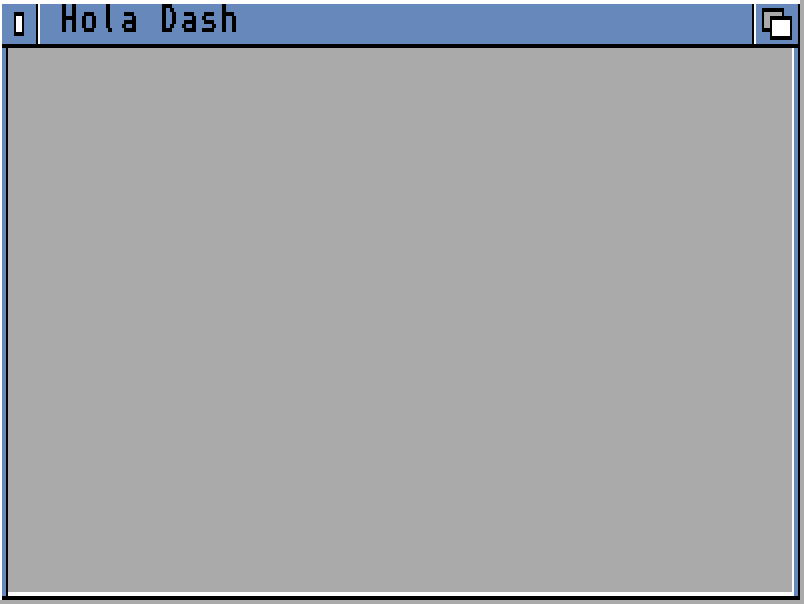
A window with its event loop, in fifteen lines. The whole executable, runtime included, takes this much:
5 KB executable
const ID_SALUDA = 1
const ID_LIMPIA = 2

Main
    if mui_app_begin("Hola MUI", "HOLAMUI") == 0
        Print "No se puede usar MUI"
    else
        win = mui_window_begin("Hola MUI", 1)
            saludo = mui_text("\33cPulsa un botón")
            mui_hgroup_begin()
                saluda = mui_button("_Saluda")
                limpia = mui_button("_Limpia")
            mui_group_end()
        mui_window_end()
        mui_on_press(saluda, ID_SALUDA)
        mui_on_press(limpia, ID_LIMPIA)
        mui_window_open(win)

        veces = 0
        while true
            ev = mui_wait_event()
            if ev == -1
                break
            end
            if ev == ID_SALUDA
                veces = veces + 1
                Print "Hola número #{veces}"
            end
            if ev == ID_LIMPIA
                veces = 0
                Print "A cero"
            end
        end
        mui_app_end()
    end
end// User Code
if (((LONG)_dash_mui_app_begin("Hola MUI", "HOLAMUI") == 0)) {
Printf("No se puede usar MUI\n");
} else {
LONG win = (LONG)_dash_mui_window_begin("Hola MUI", 1);
LONG saludo = (LONG)_dash_mui_text("\33cPulsa un bot\363n");
(void)((LONG)_dash_mui_group_begin(1));
LONG saluda = (LONG)_dash_mui_button("_Saluda");
LONG limpia = (LONG)_dash_mui_button("_Limpia");
_dash_mui_group_end();
_dash_mui_window_end();
_dash_mui_on_press((APTR)saluda, ID_SALUDA);
_dash_mui_on_press((APTR)limpia, ID_LIMPIA);
(void)(_dash_mui_window_open((APTR)win));
LONG veces = 0;
{ ULONG _dash_tm1 = _dash_tmp_mark();
while (TRUE) {
_dash_tmp_release(_dash_tm1);
LONG ev = _dash_mui_wait_event();
if ((ev == (-1))) {
break;
}
if ((ev == ID_SALUDA)) {
veces = (veces + 1);
Printf("%s\n", DashString_concat("Hola n\372mero ", DashString_from_int(veces)));
}
if ((ev == ID_LIMPIA)) {
veces = 0;
Printf("A cero\n");
}
}
_dash_tmp_release(_dash_tm1); }
_dash_mui_app_end();
}
_dash_exit_cleanup();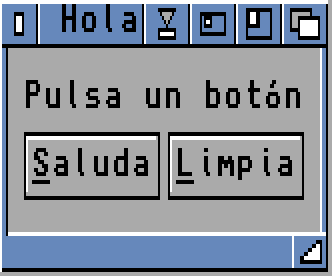
An MUI window with two buttons and their keyboard shortcuts, without working out a single coordinate. MUI 3.8 or 5.
9.1 KB executable
Window Caja
    title "Gravedad con Fixed"
    width 320
    height 200
end

const SUELO = 180

struct Bola
    x: Fixed
    y: Fixed
    vx: Fixed
    vy: Fixed
    color: Int

    func mover(g: Fixed)
        self.vy = self.vy + g
        self.x = self.x + self.vx
        self.y = self.y + self.vy
        if self.y > SUELO
            self.y = SUELO
            self.vy = -self.vy * Fixed(0.85)       # loses some speed at each bounce
        end
        if self.x < 8 or self.x > 300
            self.vx = -self.vx
        end
    end

    func dibujar()
        gfx_pen(self.color)
        gfx_circle_fill(Int(self.x), Int(self.y), 6)
    end
end

Main
    Caja.open
    g = Fixed(0.35)
    bolas = [Bola(20, 10, Fixed(1.5), 0, 1), Bola(60, 30, Fixed(-1.25), 0, 2),
             Bola(110, 5, Fixed(0.75), 0, 3), Bola(160, 50, Fixed(2.2), 0, 1),
             Bola(220, 20, Fixed(-0.6), 0, 2), Bola(280, 40, Fixed(1.1), 0, 3)]
    corriendo = true
    while corriendo
        for b in bolas
            gfx_pen(0)
            gfx_circle_fill(Int(b.x), Int(b.y), 6)
            b.mover(g)
            b.dibujar()
        end
        wait_vblank()
        if window_check_close()
            corriendo = false
        end
    end
endstatic void Bola_mover(_Dash_Bola *self, DashFixed g) {
self->vy = (self->vy + g);
self->x = (self->x + self->vx);
self->y = (self->y + self->vy);
if ((self->y > ((DashFixed)(LONG)(SUELO) << 16))) {
self->y = ((DashFixed)(LONG)(SUELO) << 16);
self->vy = _dash_fx_mul((-self->vy), ((DashFixed)55706));
}
if (((self->x < ((DashFixed)524288)) || (self->x > ((DashFixed)19660800)))) {
self->vx = (-self->vx);
}
}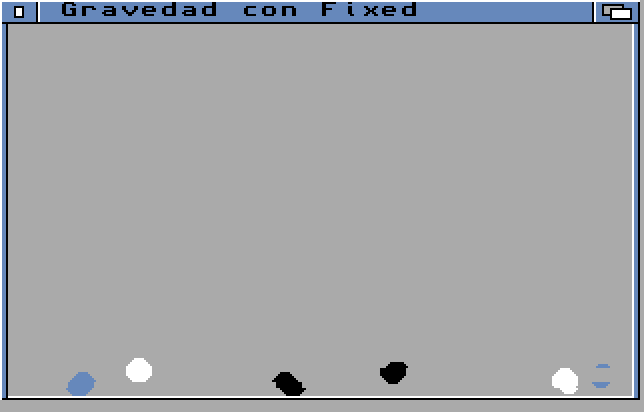
Balls that fall and bounce using fixed-point numbers: you write 0.85 and Dash turns it into integer maths. On a 68000, multiplying in Fixed is 2.6 times faster than in Float.
8.8 KB executable
581 functions to get the most out of the Amiga
Windows, graphics, sound, networking and the whole system, without writing C or digging up which library each thing lived in:
- Interface
- Intuition, GadTools, ReAction and MUI 3.8 or 5, with a double-buffered drawing area. Use whichever you like.
- Graphics
- Copper, Blitter and BOBs, hardware and software sprites, double buffering, graphics cards (CyberGraphX and Picasso96) and IFF, PNG, JPEG or GIF images. What made the Amiga famous, at your fingertips.
- Network
- TCP, UDP and HTTPS with AmiSSL 5.1, resuming the TLS session. Your Amiga, talking to today's Internet.
- The language
- Type inference, structs with methods, lambdas, typed lists and dictionaries, Float and Fixed 16.16, modules. Memory looks after itself, by reference counting: no garbage collector stopping your program mid-animation.
- When you need it
- Need to get down to the metal? Put C right in your code (@native, @c) or link any library (@link).
- MUI82
- ReAction79
- Tasks in another process58
- Intuition46
- Advanced graphics43
- Input30
- Graphics29
- System26
- Network (TCP)24
- DOS24
- RTG21
- Audio21
- GadTools19
- Text18
- Menus, buffers, TLS, fonts and more61
Write in VS Code, run on the Amiga
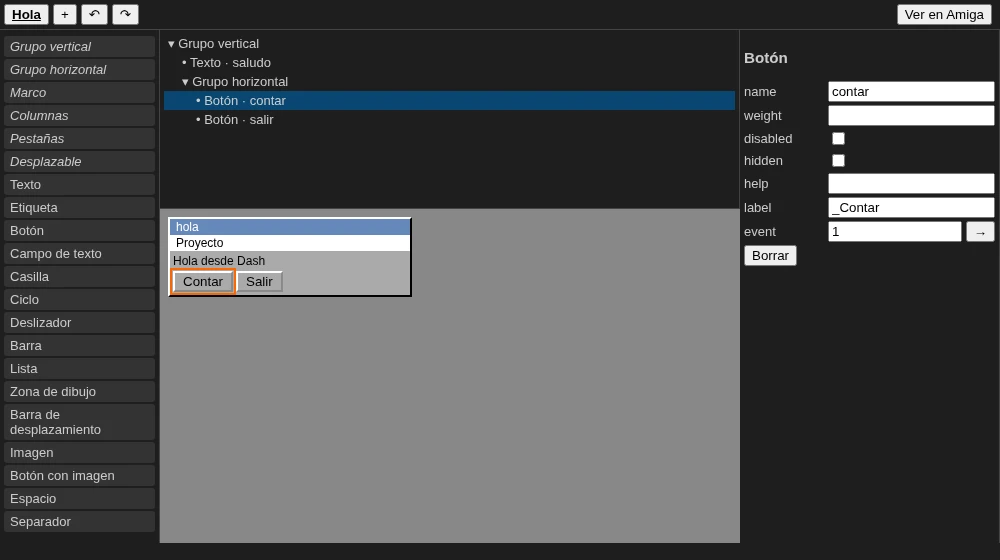
The “Dash for Amiga” extension highlights your code, flags errors as you type, completes, jumps to definitions and formats. It compiles and runs your program on FS-UAE or Amiberry, debugs with F5 (on a real Amiga too, over the network) and comes with a visual MUI window designer: you place the gadgets and the extension writes the code for you. No more guessing coordinates.
Install it from the .vsix file on its GitHub page (version 0.2.1).
Made with Dash
A language proves itself by building something big. These two programs made Dash grow: whatever they lacked was added to the language, and now you have it too.
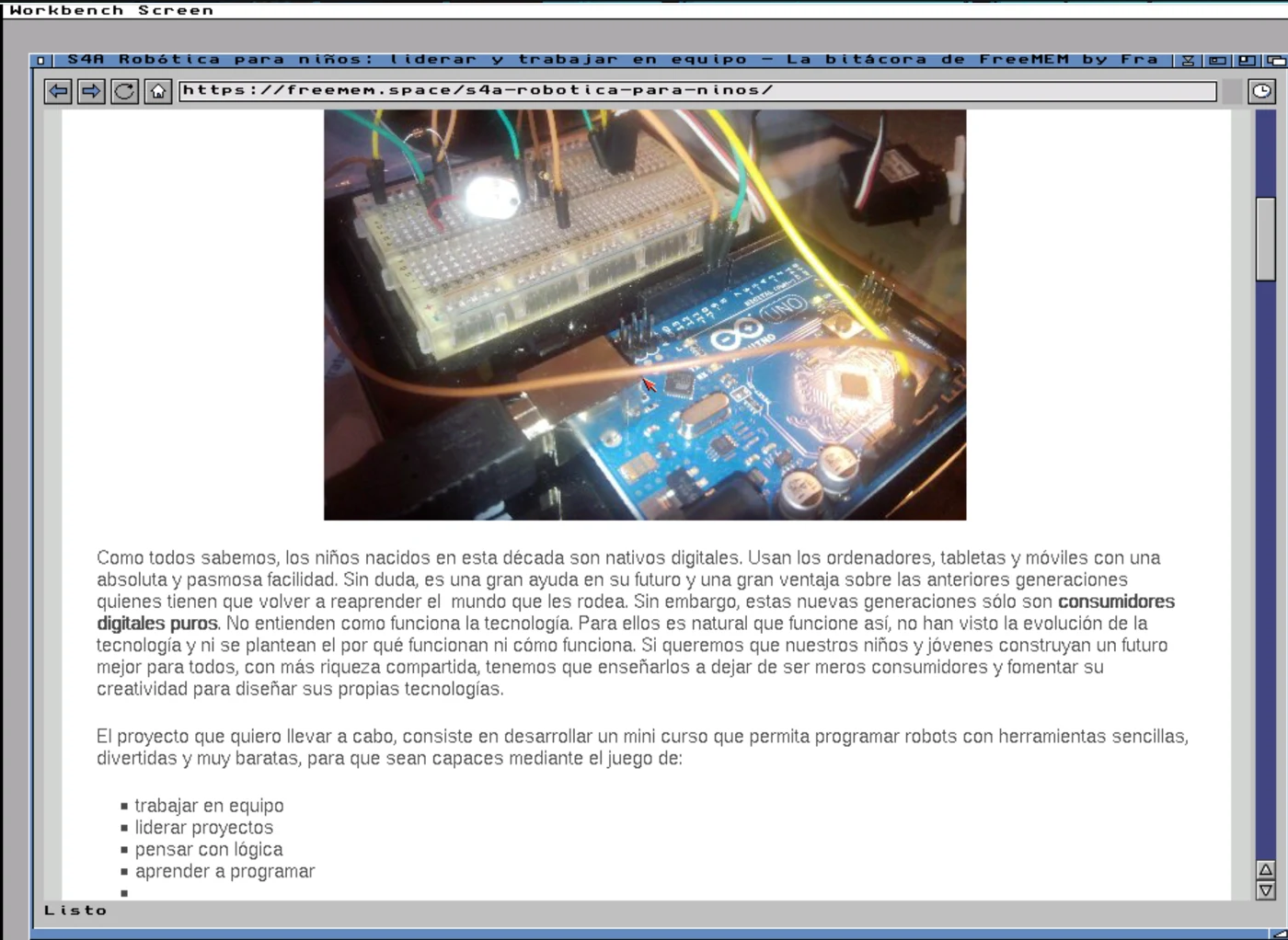 TachyonA modern web browser for AmigaOS 3.x: HTML5, today's CSS, JavaScript ES2023 and HTTPS. Over 29,000 lines of Dash. In alpha, and growing.
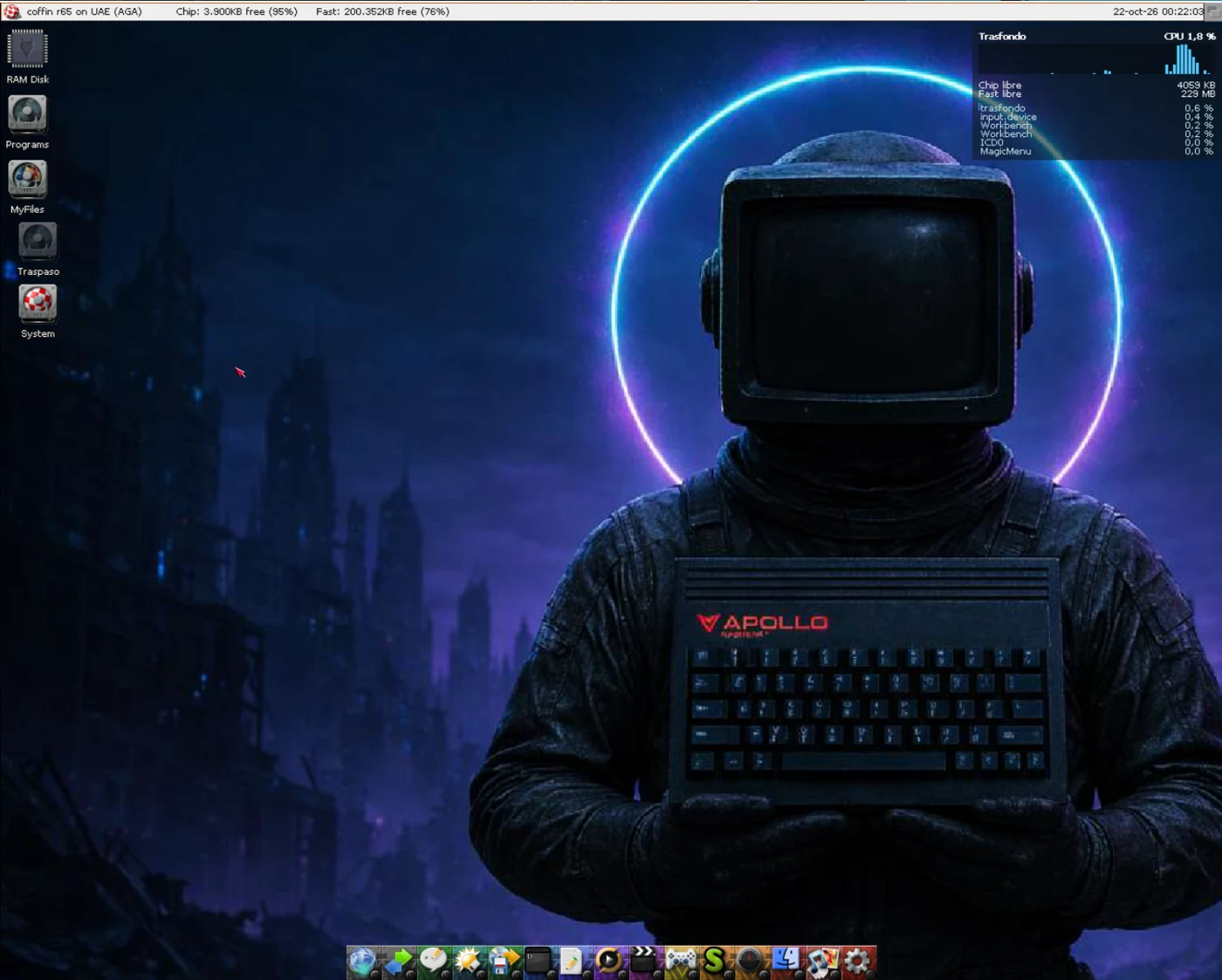 TrasfondoYour Amiga tells you what it's up to, without covering anything: a resource monitor painted on the Workbench backdrop. About 800 lines of Dash, not one line of hand-written C.
What you need
- On the Amiga
- AmigaOS 3.0 or later; a 68000 is enough. For MUI and HTTPS, a 68020.
- On your PC
- Linux, macOS or WSL2, with Python 3.10, the Lark library and the m68k-amigaos-gcc cross compiler. You compile on your PC and the Amiga gets a ready-to-run executable.